
Category: Computer Parts
-
Open-World PC Games
Open-world games have taken the gaming community by storm, offering immersive experiences where players can explore vast, detailed worlds at their own pace. Unlike linear games, where the storyline progresses in a set order, open-world games provide a sandbox environment with endless possibilities. But what sets them apart, and what kind of computer do you…
-
Understanding Types of RAM: Which Type Is Best for Gaming Computers?
If you’re diving into the world of gaming computers, you’ve probably heard a lot about RAM (Random Access Memory). It’s a crucial component that can make or break your gaming experience. But with various types of RAM available, how do you know which one is the best for your gaming rig? Let’s break it down!…
-
What to think about when ordering a custom gaming PC
At Lithgow Tech Services, we’ve been busy building custom gaming PCs for our clients. If you’re considering ordering your own custom rig, here are a few key things to think about before making your decision. What’s Your Budget? One of the most common questions we get is, “How much does a custom computer cost?” The…
-

Building your own gaming computer
For those who live and breathe gaming, a standard off-the-shelf PC simply won’t cut it. Enter the realm of hardcore gaming geek computers—custom-built powerhouses designed to push the limits of performance and deliver the ultimate gaming experience. If you’re in Lithgow and itching to assemble your dream gaming rig, we’ve got you covered. Why Go…
-
Power Supply Unit (PSU)
The Unsung Hero of Your Gaming PC: The Power Supply Unit (PSU) When it comes to building or upgrading a gaming PC, we often focus on graphics cards, CPUs, and fancy RGB lighting. But there’s one crucial component that doesn’t get nearly enough attention: the power supply unit (PSU). This humble piece of hardware is…
-
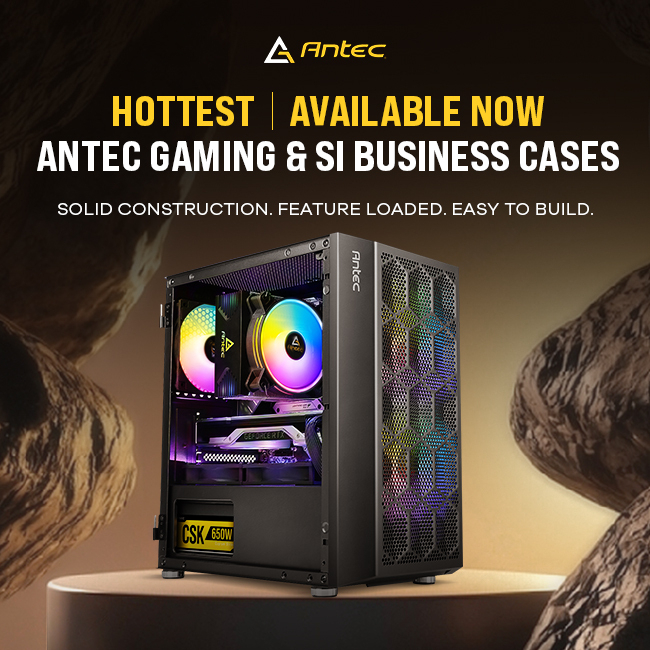
Antec Computer Cases for Gaming and Business
When it comes to building a powerful PC, whether it’s for dominating the latest games or handling heavy business applications, one of the most crucial choices lies in selecting the right computer case. Antec, known for its high-quality and innovative case designs, offers options that meet a variety of needs, from the intense demands of…
-
What to do if your laptop keyboard is not working
Experiencing issues with your laptop keyboard can disrupt your daily tasks, but don’t worry, many problems can be resolved with a few simple steps. Here’s a quick guide to get your keyboard back to normal: 1. Physical Check First, ensure no crumbs, dust, or other debris are jamming the keys. A can of compressed air…
-
Understanding Your Gadget’s Warmth: Normal Heat vs. Overheating
In the modern digital age, our lives revolve around electronic gadgets. Smartphones, laptops, tablets, and other computer devices have become indispensable tools for communication, work, entertainment, and more. However, with prolonged use, you might notice your device getting warm, leading to concerns about overheating. But is your device really overheating, or is it just the…